In-ear monitors can give performers greater control, improved mobility and a more consistent monitoring experience. They can also reduce stage volume and help create a cleaner environment for performers, engineers and audience. But wireless IEM systems can be less forgiving than many users expect. A wireless microphone may work perfectly in the same environment where an IEM experiences noise, interference or dropouts.
The difference is not necessarily the quality of the equipment. Reliable IEM performance depends on how the entire system is designed, coordinated and deployed.
If your in-ear monitors are not performing consistently, start with these six areas.
1. Understand Why IEMs Require Careful Planning
Wireless microphones and wireless IEMs move audio in opposite directions. With a wireless microphone, a small transmitter travels with the performer and sends audio to a stationary receiver. That receiver can use larger antennas, diversity reception and a dependable power source. With an IEM system, the stationary transmitter sends audio to a compact, battery-powered receiver worn on the performer’s body. That bodypack moves throughout the performance and may be blocked by the performer, clothing, scenery, equipment or other people. This makes the path between the transmitting antenna and the bodypack especially important. Performer movement, stage layout and physical obstructions can all influence reception.
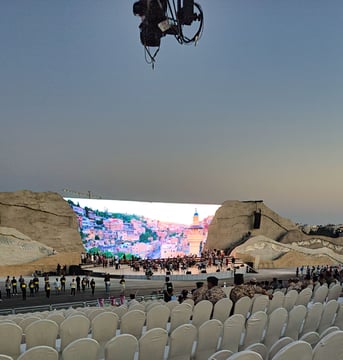
The system must be designed for the actual performance environment, not just tested beside the equipment rack.
2. Coordinate the Entire Wireless System
One of the most common IEM mistakes is selecting frequencies one device at a time. A clear frequency found by a bodypack scan may work for that individual unit, but it does not account for every wireless microphone, IEM, intercom or other RF device operating nearby. Frequencies that appear clear individually can interact once the full system is turned on.
Instead, coordinate the complete wireless system together. Begin by scanning the local RF environment. Account for television broadcasts, other wireless systems at the venue and potential interference sources. Then use coordination software to select compatible frequencies for all devices.
Whenever possible:
- Coordinate microphones, IEMs and other wireless equipment as one system
- Use compatible frequency groups for smaller setups
- Avoid placing channels too close together
- Confirm the frequency range available with your equipment
- Rescan when moving to a new venue
- Keep backup frequencies available
Do not assume that frequencies that worked at the last event will also work at the next one. Every location presents a different RF environment.
3. Pay Attention to the Antenna
Once the system has been coordinated, antenna choice and placement can have a major effect on performance. The transmitting antenna needs a clear path to the areas where performers will use their bodypacks. Mounting the antenna too low, placing it behind the rack or allowing scenery and video equipment to block it can weaken coverage.
A strong deployment should provide:
- Clear line of sight to the performance area
- Enough height to reach performers across the stage
- Separation from large metal objects and interference sources
- Coverage designed around where performers will actually move
- An antenna suited to the size and shape of the performance space
The bodypack also matters. Metal objects and direct contact with the performer’s body can affect reception. Packs should be positioned securely, with the receiving antenna unobstructed whenever possible.
Do not judge coverage from one stationary test position. Walk the entire performance area while monitoring the system. Turn, crouch and move as a performer would during the event.
4. Reduce Loss Between the Transmitter and Antenna
Every cable, connector and adapter between the transmitter and antenna introduces some degree of RF loss. Long cable runs, damaged connectors, incorrect cable types and unnecessary adapters can reduce the signal before it ever reaches the antenna. Adding more transmitter power will not repair a compromised signal path. Use 50-ohm coaxial cable designed for wireless RF systems, and select lower-loss cable for longer runs. Keep connections to a minimum and avoid unnecessary adapters.
Inspect the signal path regularly for:
- Loose or damaged connectors
- Pinched, sharply bent or crushed coaxial cable
- Incorrect cable impedance
- Excessively long cable runs
- Unnecessary inline connections
A cable may pass a basic continuity test and still perform poorly at RF frequencies. If a system develops unexplained coverage problems, the coaxial cable and connectors should be part of the investigation.
5. Combine Transmitters Properly
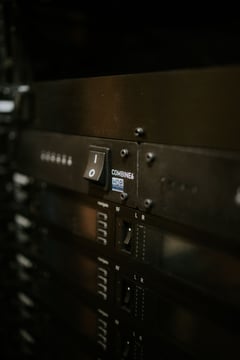
A rack containing several IEM transmitters can quickly become crowded with individual antennas. A transmitter combiner allows multiple IEM transmitters to feed a shared antenna. This can simplify the rack and antenna deployment while helping manage the interaction between nearby transmitters. A combiner does not eliminate the need for frequency coordination, however. The frequencies still need to be compatible, and the signal path from the combiner to the antenna must be designed carefully.
For larger systems, consider how much of the system should depend on a single component. The best design will depend on channel count, coverage requirements and the level of redundancy the application demands.
The objective is to create an RF distribution plan that supports reliable coverage and can be serviced quickly if something goes wrong.
6. Check the System Settings and Audio Path
Not every IEM problem begins with RF. Incorrect transmitter settings, inconsistent gain structure or a poorly constructed monitor mix can create problems that sound like wireless failure.
Before the event, confirm that:
- Transmitters and bodypacks are operating in compatible modes
- Input gains are consistent and set appropriately
- Audio is not clipping before it reaches the transmitter
- Pilot tone, squelch, limiter and EQ settings follow the manufacturer’s recommendations
- Stereo and mono settings match the intended configuration
- Batteries are fresh and bodypacks are functioning properly
- Every performer’s pack is labeled and assigned correctly
Listen to every mix through the same type of bodypack and earpieces the performer will use. Checking the mix only at the console may not reveal an issue in the wireless or listening path.
Build a Contingency Plan
Even a carefully designed system can experience a damaged cable, depleted battery or component failure. Prepare for those problems before the performance begins. Depending on the size and importance of the production, useful backups may include:
- Spare bodypacks
- Fresh batteries
- Replacement coaxial and audio cables
- Backup frequencies
- Spare power supplies
- Individual transmitter antennas
- A documented rack and signal-flow diagram
Organize and label the rack so that a failed component can be identified and bypassed quickly. A backup is only useful if the team knows how and when to deploy it.
Reliable IEMs Depend on the Complete System
There is rarely one piece of equipment that guarantees dependable in-ear monitoring. Reliable performance comes from coordinating frequencies, protecting the signal path, choosing and positioning the antenna correctly, confirming system settings and testing coverage under realistic conditions. When these pieces work together, performers can move around the stage with confidence and focus on the performance instead of wondering whether their monitor signal will disappear.
RF Venue develops antennas, transmitter combiners, spectrum-analysis tools and system solutions that help audio professionals build more reliable wireless monitoring systems.